
 Annotation practice
LabelFort ships a rebuilt labelling workspace, audio annotation, and speaker diarization
Versions 4.1.7 and 4.1.8: one shared workspace for annotators, verifiers and auditors, audio annotation with duration-based zoom, and automatic speaker diarization that turns a raw recording into labelled speaker turns.
Sahil Wadhwa
7 min read
- Product updates
- Product
- Annotation
Contents
Executive summary
LabelFort released two updates in September 2026. Version 4.1.7 rebuilt the labelling workspace onto one shared screen for annotators, verifiers, and auditors, with fifteen keyboard shortcuts and undo that reverses exactly what changed. Version 4.1.8 added audio annotation with duration based zoom precise to a fraction of a millisecond, and automatic speaker diarization that turns a raw recording into labelled speaker segments.
What actually changed in the labelling workspace
Annotators, verifiers, and auditors used to work on three separately maintained screens. They now share one workspace: the same layout, the same toolbar, the same panels, with dividers you can drag to resize the tool rail, the viewer, and the form column in any of the three roles.
Keyboard shortcuts went from four to fifteen. A single key picks each tool, Enter closes a polygon or polyline, Escape cancels it, Delete removes a selection, and undo now runs on a record of exactly what each action changed rather than a blunt history stack, so it reverses that action and nothing around it. Undo history also survives a refresh, which it did not before.
Boxes, cuboids, segments, and medical measurements now open the same details panel with the same fields in the same places. Segments used to open an entirely different panel, which meant the same review habit did not transfer across annotation types. That inconsistency is exactly what makes a workspace slower to audit, not just slower to use.
How the new audio annotation surface works
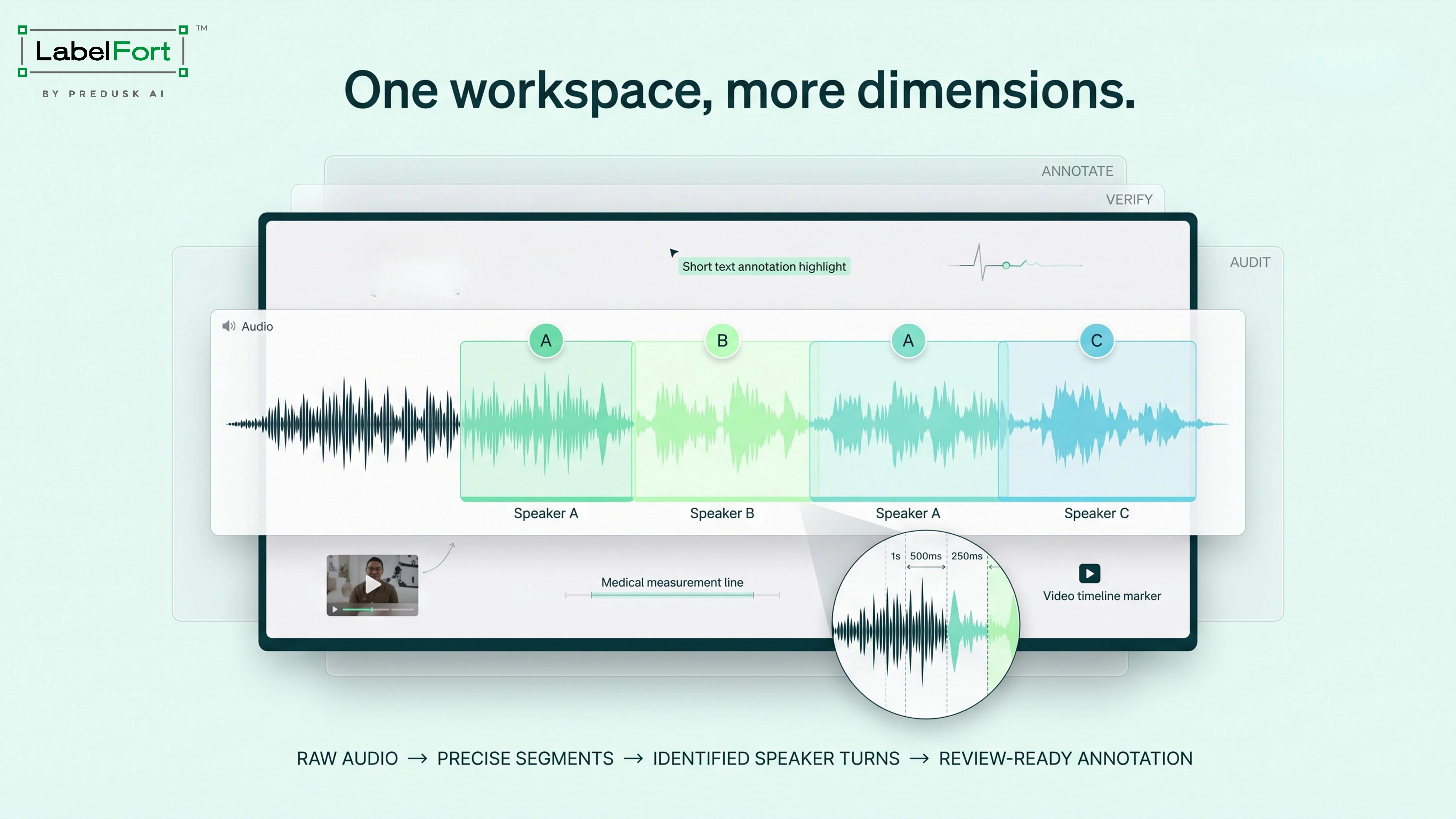
LabelFort can now open a recording of any length and let an annotator mark spans directly on a waveform, with a time ruler, a whole file overview, and a zoom ladder. The zoom ladder is the detail worth sitting with: it is named by duration rather than by a percentage. Fit, 60 seconds, 30 seconds, 20 seconds, 10 seconds, 5 seconds, 2 seconds, 1 second, 500 milliseconds, 250 milliseconds. A percentage based zoom gives a different pixel-per-second on every file. The same setting could mean 7 milliseconds per pixel on a short clip and over a second per pixel on a long one, so two annotators reporting the same zoom level could be working at entirely different accuracy without either of them knowing it. A duration based rung means the same precision on a ten-second clip as on a half-hour recording.
Segment creation is a drag across the waveform. Times are stored to the millisecond and rounded once, so the number on screen is the number that gets saved. A span too narrow to grab moves instead of resizing, so nudging a short segment cannot accidentally stretch it into something much longer. Undo covers both creating a segment and adjusting its boundary.
What speaker diarization automates
Diarization is configured as a step in the AI pipeline: pick which audio segment questions it should fill, set the classes speakers will be assigned to, and the step is only offered for models that declare they can run it. Speakers are ranked by who speaks first and mapped to the configured classes in that order. Worth knowing before configuring it: a recording with more speakers than you have classes drops the extra speakers rather than inventing an unlabelled segment, so class count should match the real speaker count on the recordings being run.
Once diarization runs, turns arrive in the workspace as ordinary audio segments, each carrying a transcript that is editable like any other field, and colored by its class the same way a hand-drawn segment would be. Overlapping speech is kept as the model returned it, and clicking an overlap selects the shortest segment underneath it.
Why these five things matter, and what already exists elsewhere
| Feature | What ships | Why it matters |
|---|---|---|
| Automatic speaker diarization | Audio arrives pre split into labelled speaker turns. Annotators refine a conversation instead of building a timeline from silence. | Building a speaker timeline by ear is the slowest part of annotating a conversation. Turning that first pass into a review pass is the actual time saved, not the diarization model itself. |
| Audio zoom | High magnification waveform zoom for segment level timestamp validation and precise chunking. | Millisecond level precision is not new. Encord’s own audio annotation already advertises adjustments down to the millisecond. What LabelFort adds is a zoom ladder measured by duration rather than a percentage, so a rung means the same precision on a short clip and a long recording, which a percentage does not guarantee. |
| Automatic timestamp creation | Ships with diarization. Diarized turns arrive already timestamped, removing the manual pass entirely. | This is a consequence of the diarization step working correctly, not a separate feature on its own. It only counts as automatic if the boundaries are accurate enough to review rather than redraw. |
| Overlap handling | Overlapping segments supported natively on the waveform and refined rather than reconstructed. | Also not new on its own. Encord supports overlapping annotations too. The difference is in how an overlap is resolved during review: clicking one selects the shortest segment underneath it, rather than forcing a pick between two competing shapes. |
| Text edit visibility | Edits made downstream become visible to the transcriber in the workspace, so the current version is never in doubt. | Unverified against competitors. This is a workflow claim rather than a model capability, and it did not turn up in the public material of the platforms checked below, either because none of them do it or because none of them say so. |
How many annotation vendors ship all five of these together is not a number that can be given honestly. What was checked, against Encord, Labelbox, SuperAnnotate, Label Studio, V7, and Scale AI, is automatic diarization that lands in the workspace as an editable segment rather than a manual labelling template. That pattern showed up in open source and academic tools during this check, not in any of those six commercial platforms. So the honest claim is not that these features are unmatched anywhere. It is that automatic diarization as a shipped pipeline step is rare among the platforms teams actually buy, while the zoom and overlap work is a genuine improvement on LabelFort’s own prior version rather than an industry first.
Medical annotation joins the shared workspace
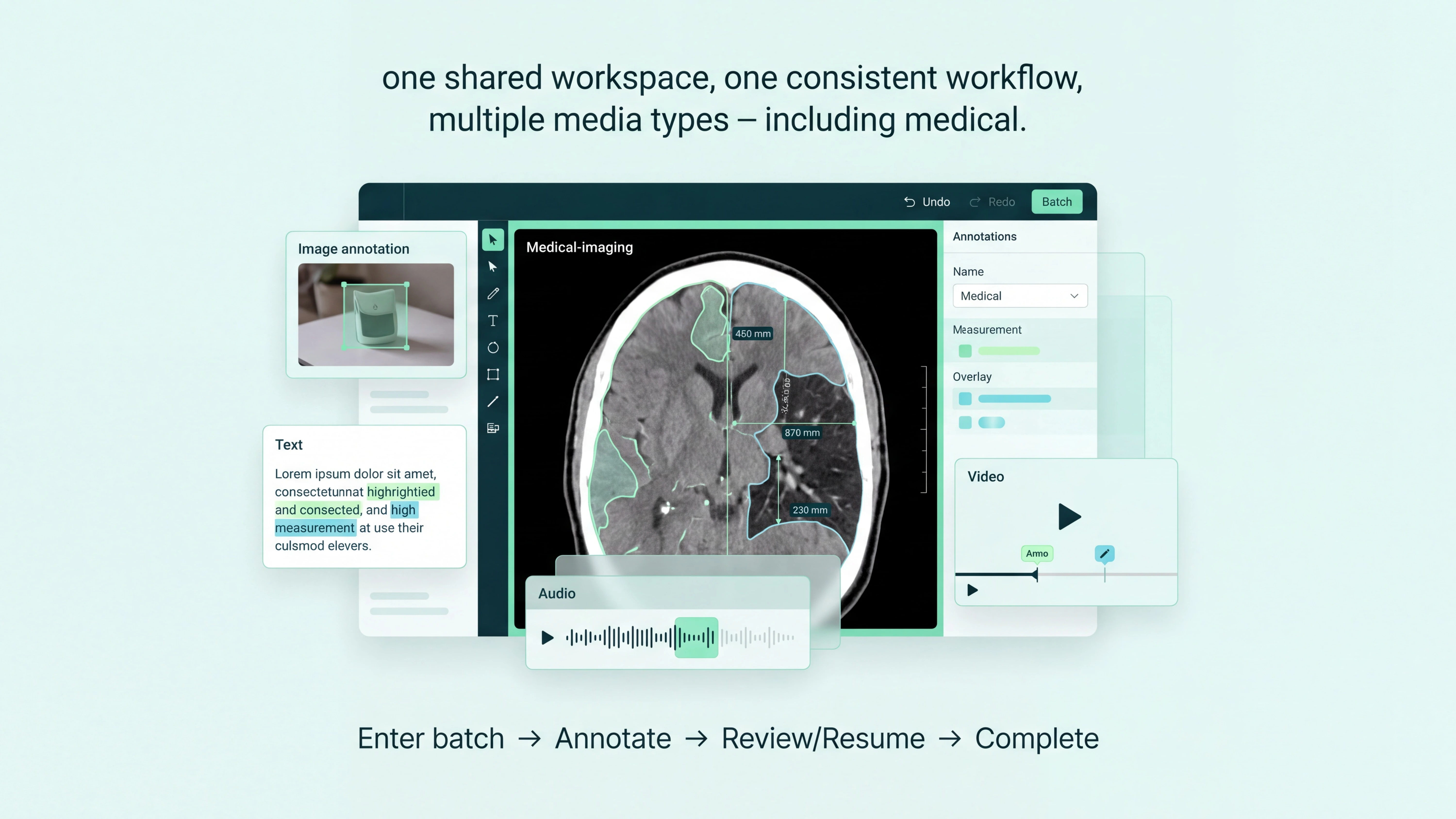
Medical imaging now runs on the same undo and redo engine as every other media type, and shares the same batch session, so entering, resuming, and completing a medical batch follows the same path as image, video, text, or audio work. That is a smaller change on paper than the audio features, but it is the one that matters most for teams running mixed regulated projects, since it means one set of habits now covers every media type instead of a separate one for medical alone.
The platform got faster to run, not just to work in
The organization list now loads a page at a time instead of the whole table, which turns a 250-organization screen from roughly 750 queries into one query per page, and search runs on the server so typing no longer reloads the entire list on every keystroke. Project and organization setup now run on a single rebuilt wizard that keeps a draft, so leaving and coming back does not mean starting over. Batch status is read per batch rather than by loading a whole project’s state at once, which is what made large projects slow to reflect a change, and two people finishing work on the same batch at the same time no longer overwrite each other.
What got fixed
Export had been quietly broken since the batch assignment change: the reviewed_by, batch_started_at, and batch_completed_at columns were blank on every row of every sheet. They are populated again in 4.1.8, pulled straight from the assignment record. Version 4.1.7 also closed 32 further bugs across the annotator, verifier, auditor, and admin screens, most of them the kind that never make a highlight reel: a completed batch that reported 0 of 0, an emptied answer stored the same way as an unset one, a workspace that hung on the loading screen after a reload.
Recommended for you
Annotation practice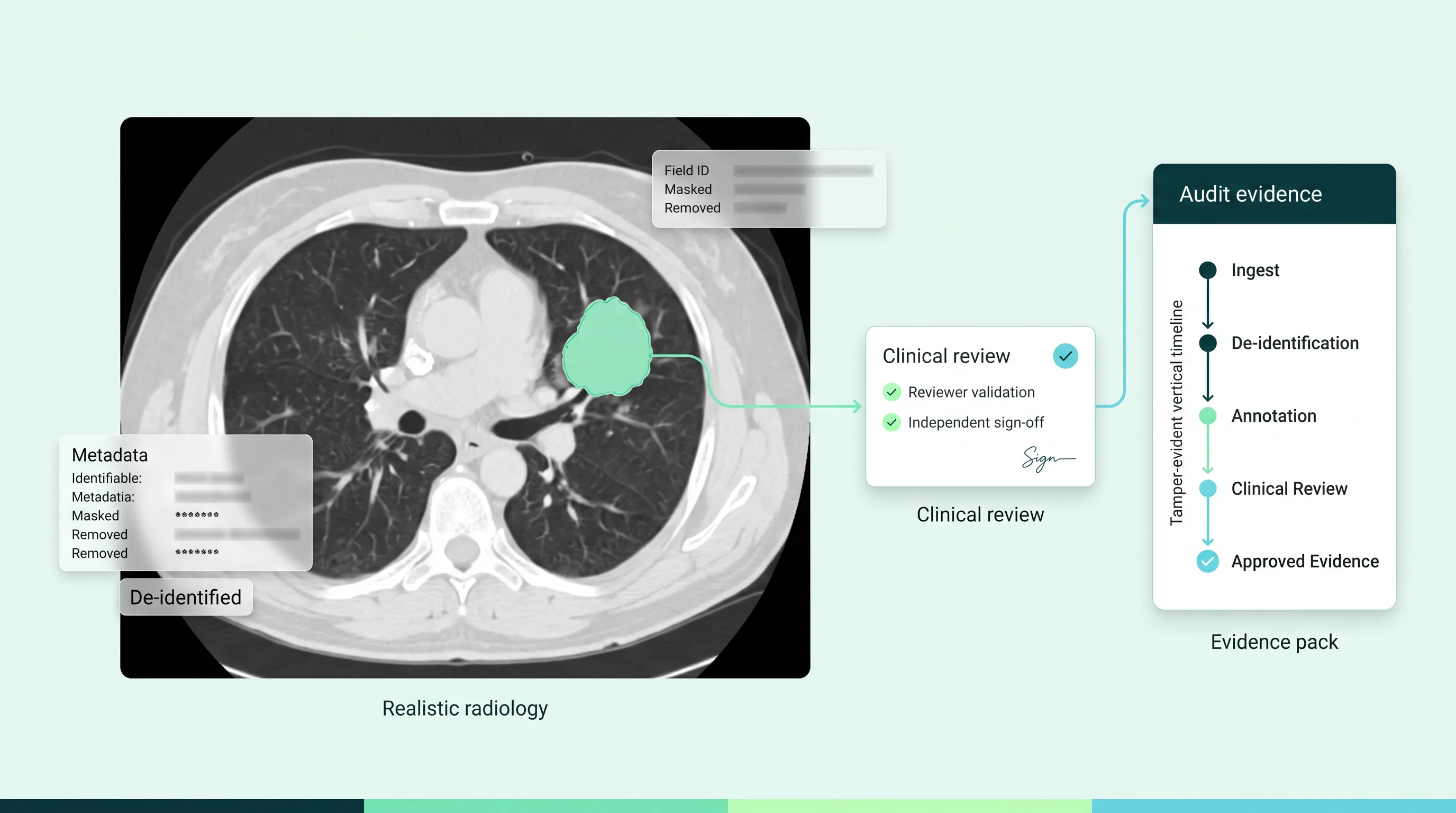 Annotation practice
 Annotation practice
This is the evidence LabelFort ships by default.
IAA scored per cohort, audit trails on every action, evidence exports mapped to EU AI Act Articles 10 & 12.
Certifications & readiness